Alert with evidence
The alert includes the inspection image, AI signal, event time, line, and affected review window, so FSQA can respond with evidence rather than a generic alarm code.
Insights Software Workflow
Beyond Rejects extends GreyscaleAI Insights software beyond pass/fail counts by connecting X-ray image evidence, AI signal patterns, and production context around elevated-risk moments.
Production risk intelligence
A reject tells the team one package was removed. It does not always explain whether the event was isolated, whether signals were building, or whether nearby passing product deserves FSQA review.
Beyond Rejects helps teams review the period around an inspection event. Insights can alert FSQA to a potential risk window, then bring together image history, signal behavior, line context, and event records so the team can decide what should happen next.
Designed for review, not automatic disposition. Alerts identify potential risk for FSQA review. Your team decides whether to hold, reinspect, wash out, release, escalate, or take no action.
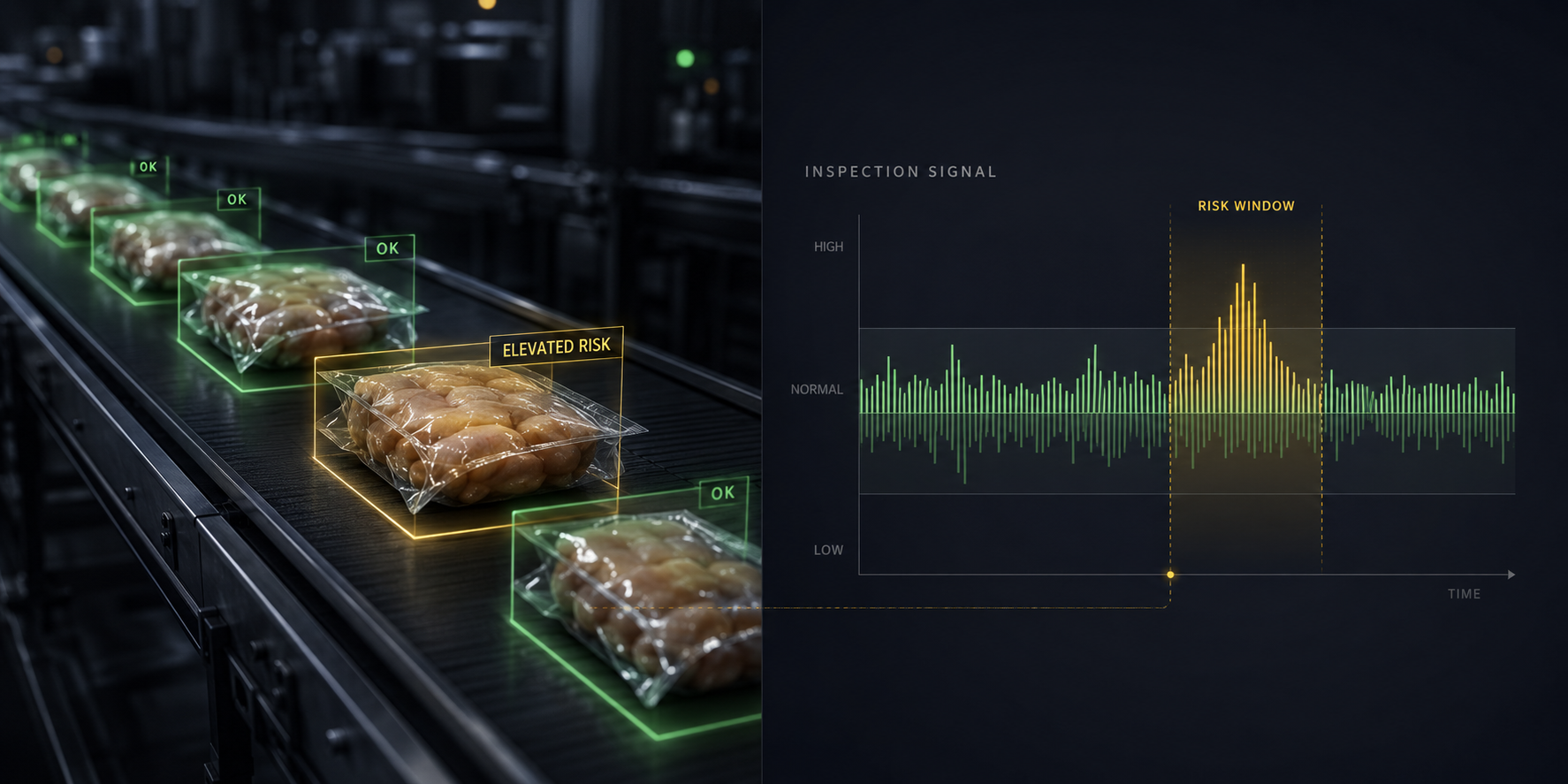
The workflow pairs package-level inspection evidence with a time-based signal view so FSQA can review the window around an alert and decide whether action is needed.
Risk-review alerts
Insights alerts the right reviewers when inspection signals indicate a product, line, or time window may deserve attention. An alert is not an automatic hold or release decision; it is a prompt to review evidence and decide the appropriate action.
Each alert opens with the relevant review context: images, event history, signal trends, machine and line metadata, SKU, lot, shift when available, and the suggested review window.
The alert includes the inspection image, AI signal, event time, line, and affected review window, so FSQA can respond with evidence rather than a generic alarm code.
Authorized users receive the context needed to decide whether to hold, reinspect, wash out, release, escalate, or take no action.
Keep the alert, reviewed evidence, reviewer decision, and notes tied to the event history for later investigation and continuous improvement.
FSQA alert queue
Alert status shows whether the event is unreviewed, under review, closed with action, or closed with no action.
How it works
Beyond Rejects turns inspection activity into a review workflow: capture the evidence, analyze the signal, send a risk-review alert, and give FSQA the context to decide what should happen next.
High-resolution X-ray inspection captures package-level images and event metadata at line speed.
AI-assisted analysis helps identify signal behavior that may indicate an isolated reject, a developing condition, or a nearby product window worth review.
GreyscaleAI Insights gives authorized users a practical window of images, events, and line context to investigate.
Teams review the evidence before deciding whether to hold, rework, reinspect, wash out, release, escalate, or take no action.
FSQA decision support
Beyond Rejects gives FSQA teams a structured way to review potential risk, inspect the surrounding evidence, and document what action was or was not needed.
Review images, alerts, and events around a concern so product disposition can be based on evidence, not just a single reject count.
Use the alert window to understand what happened before, during, and after an elevated-risk moment when planning washout, reinspection, or follow-up checks.
Compare signal patterns, image evidence, line timing, and machine context to help determine whether the issue appears isolated or part of a broader condition.
Review nearby product images and signal behavior so teams can investigate borderline conditions that may not appear in the reject bin alone.
FSQA, plant management, and operations can work from shared images, alerts, and event history instead of separate interpretations of what happened.
Keep the alert, review window, evidence, disposition, and notes tied to the event for later review and continuous improvement.
Risk alert review queue
Inside GreyscaleAI Insights
Beyond Rejects is part of the broader GreyscaleAI Insights application layer, not a separate inspection machine. It builds on image history, risk-review alerts, production analytics, machine visibility, and the standard support model.
Fit depends on the product, package, target concern, line setup, image quality, and the operating context available in GreyscaleAI Insights.